

Netflix Nolls
My Role: UX Design & UX Research
Through this project, I wanted to bring a new layer of social engagement to Netflix by adding media poll feature to user interaction.
Course & Time:
User Experience Design II
at the University of Colorado Boulder
Mentor - John Weiss
Fall 2021
Tools:
Adobe Illustrator
Adobe Photoshop
Figma
Identifying An Assumption
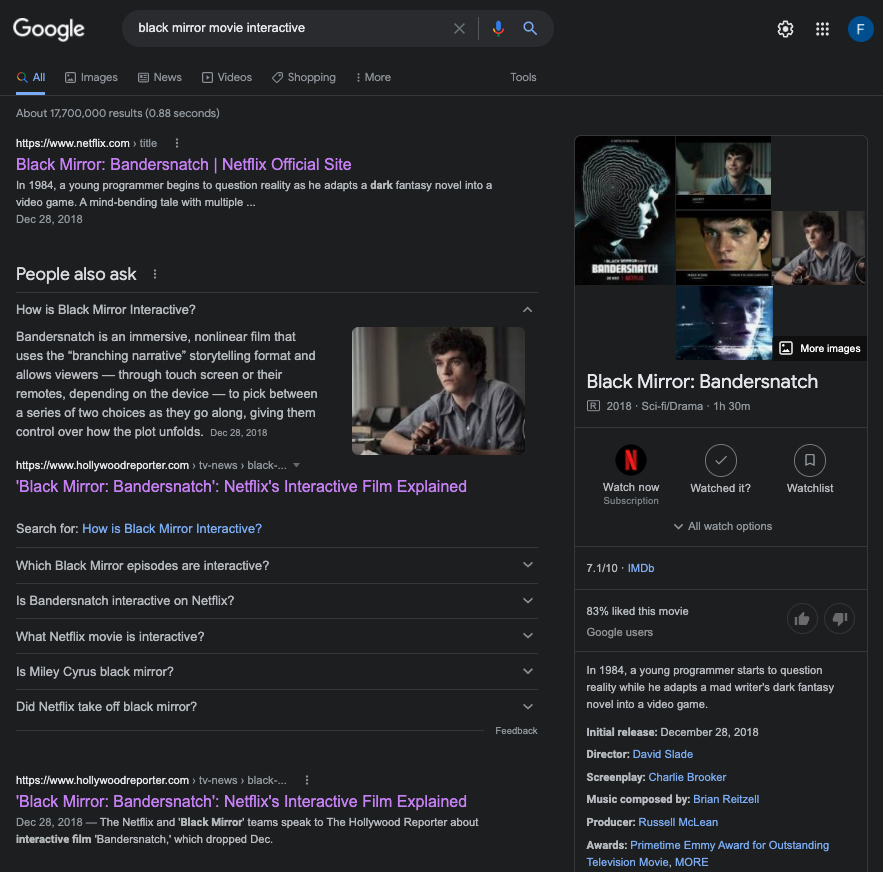
Nowadays, people are looking for new ways to interact with one another or use games, socially, especially through technology. Even data collection apps for environmental testing, shopping and many more now use quizzing/gaming to gain personal trust and connect people globally.
Netflix is missing this feature of allowing people what they really want. Interactive genre is also have been explored by Netflix, where they came out with the Interactive Black Mirror Movie - “Bandersnatch” in 2018. So they could add a whole new space for social desire within their media platform.
Hypothesis
I think that Netflix is in the best position to get there and have the resources to build a strong component in a quick environment.
They can bring more user interaction to the platform by adding a new social feature where people can interact with other streamers.
Desired outcome or Jobs To Be Done
Potentially, I would like to allow Netflix users to not only just stream entertainment and sometimes lose interest, but also add on a whole new layer or engagement.
Points below are what I would like to focus on during this project:
- Phone connection while watching media
- Chat box
- Game/Quiz about the media with potential of collecting points or gains
Personas

Very social, software engineer and enthusiast, enjoys watching documentaries
and loves history
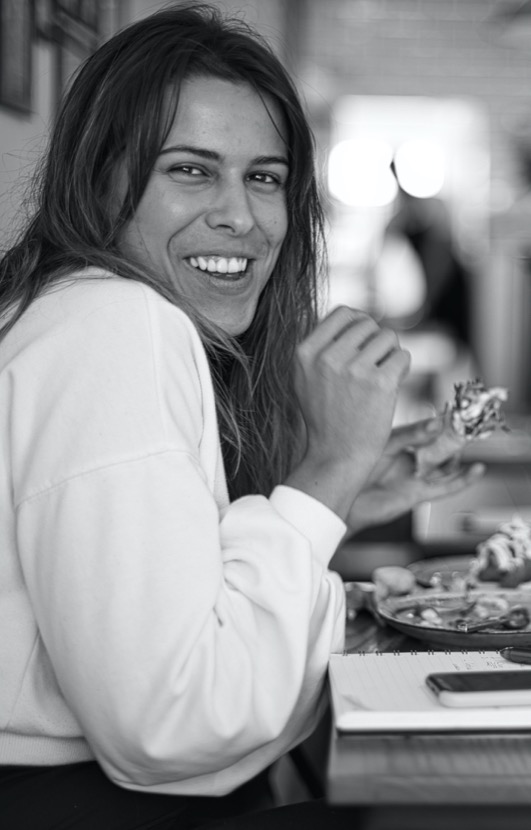
Social, tech friendly always keeps up with new media, she likes making new friendships, active on social media

Social, very tech friendly, loves playing video games with his friends, he is also the nerdy kid that loves science facts
Jack - 47 year old male
He watches documentaries and history series most evenings once the house is quiet. He is very social and talks about what he watched the next day, but the people who would enjoy it with him are rarely on the sofa beside him. He should be able to compare notes while he watches.
Frequency of streaming
3-4 days
a week
Apps he uses frequently
Netflix
YouTube
Curiosity Stream
Slack
Top Concerns:
Another subscription
Cluttered interface
Spoilers
Keywords
social, factual, competitive,
discussion, evening, unwind
Isa - 26 year old female from Spain
She watches TV series/Movies online almost every evening after work to decompress. She is a very social extravert and lives alone, so she needs social interaction in the comfort of her empty home. She should be able to still engage with friends or strangers while having a relaxing movie night.
Frequency of streaming
5-6 days
a week
Apps she uses frequently
Netflix
HBO
YouTube
Houseparty
Facetime
Text game apps
Top Concerns:
Internet/speed connection
Extra cost
Navigation
Keywords
fun, social, distance, challenging, easy,
reward, online
Tim - 5 year old male
He watches with his parents in the living room and picks the science and animal shows himself. He already plays games with his friends on a tablet, so he expects a screen to answer him back. He should be able to join in from the sofa without having to read much, and with a grown-up nearby.
Frequency of streaming
6-7 days
a week
Apps he uses frequently
Netflix Kids
YouTube Kids
Roblox
Toca Boca
Facetime
Photo games
Top Concerns:
Reading long text
Talking to strangers
Screen time limits
Keywords
playful, curious, science, friends,
rewards, pictures, supervised
Identifying Features
A new feature with following options is what I focused on:
- A scannable connection to a phone/tablet to a tv or a monitor of choice
- Interaction options such as: chat room, quiz/game room, and etc.
- Options to create rooms for close friends or strangers
Journey Map
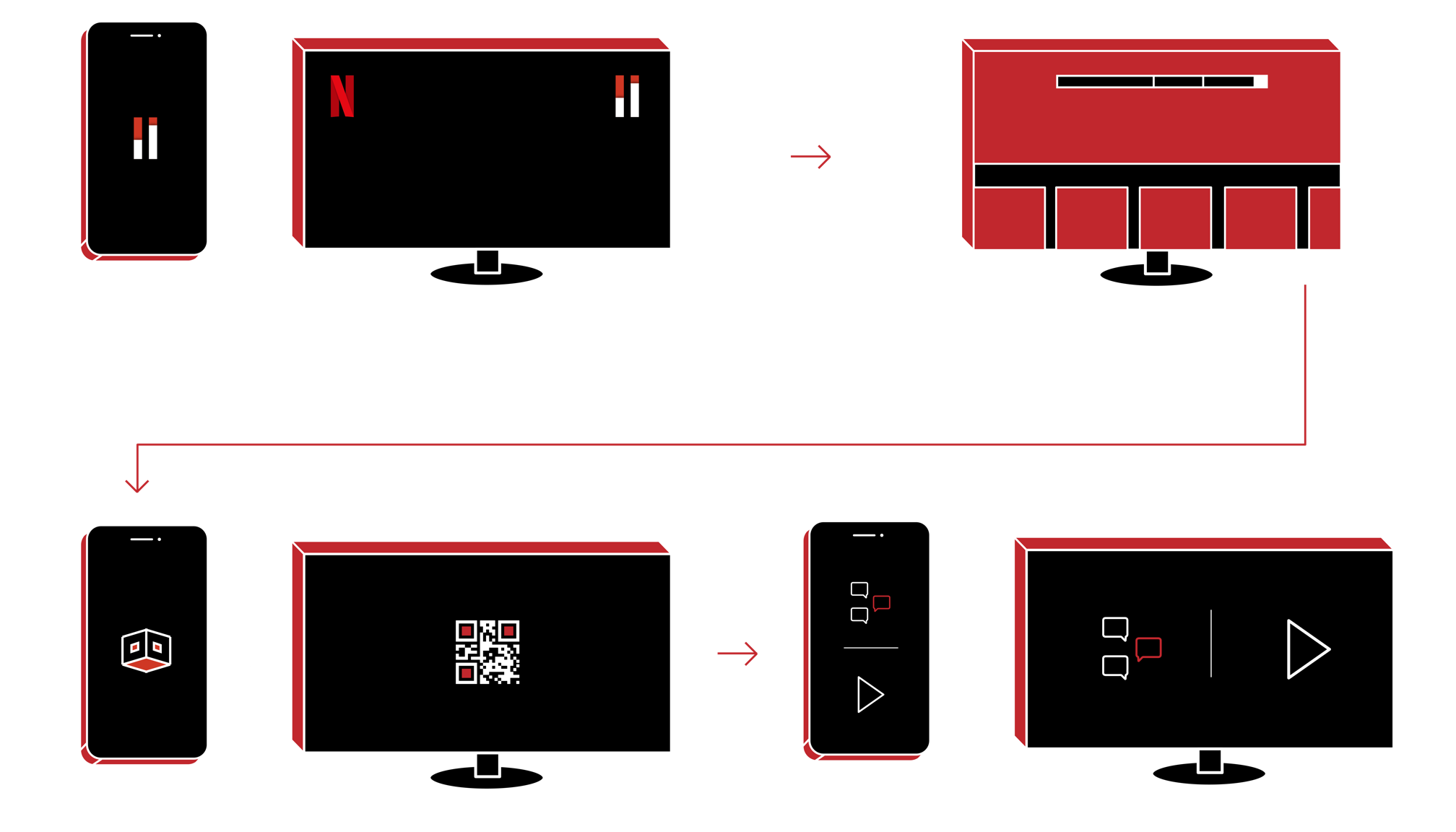
Accessing the Nolls page from Home page in Netflix
Picking or searching either existing Nolls or new ones
Joining the waiting room and connecting phones to the Noll Party
Enjoying the media by playing the Nolls and chatting with other streamers
Accessing the Nolls page from Home page in Netflix
Picking a Noll from live options
Or searching for a specific Noll with specific date
Joining the waiting room + connecting phones to play
Enjoying the media by playing the Nolls & chatting with other streamers
Killer Feature
Noll tab is going to be a new generation of social interaction space that Netflix can build. I would like to enable spectrum of audience to have access to:
- Quiz polls throughout the media to earn social points
- Online live messaging to lead towards communities
- Also bring privacy for private people to have the option to be with familiar streamers
Content Inspiration
HQ Trivia
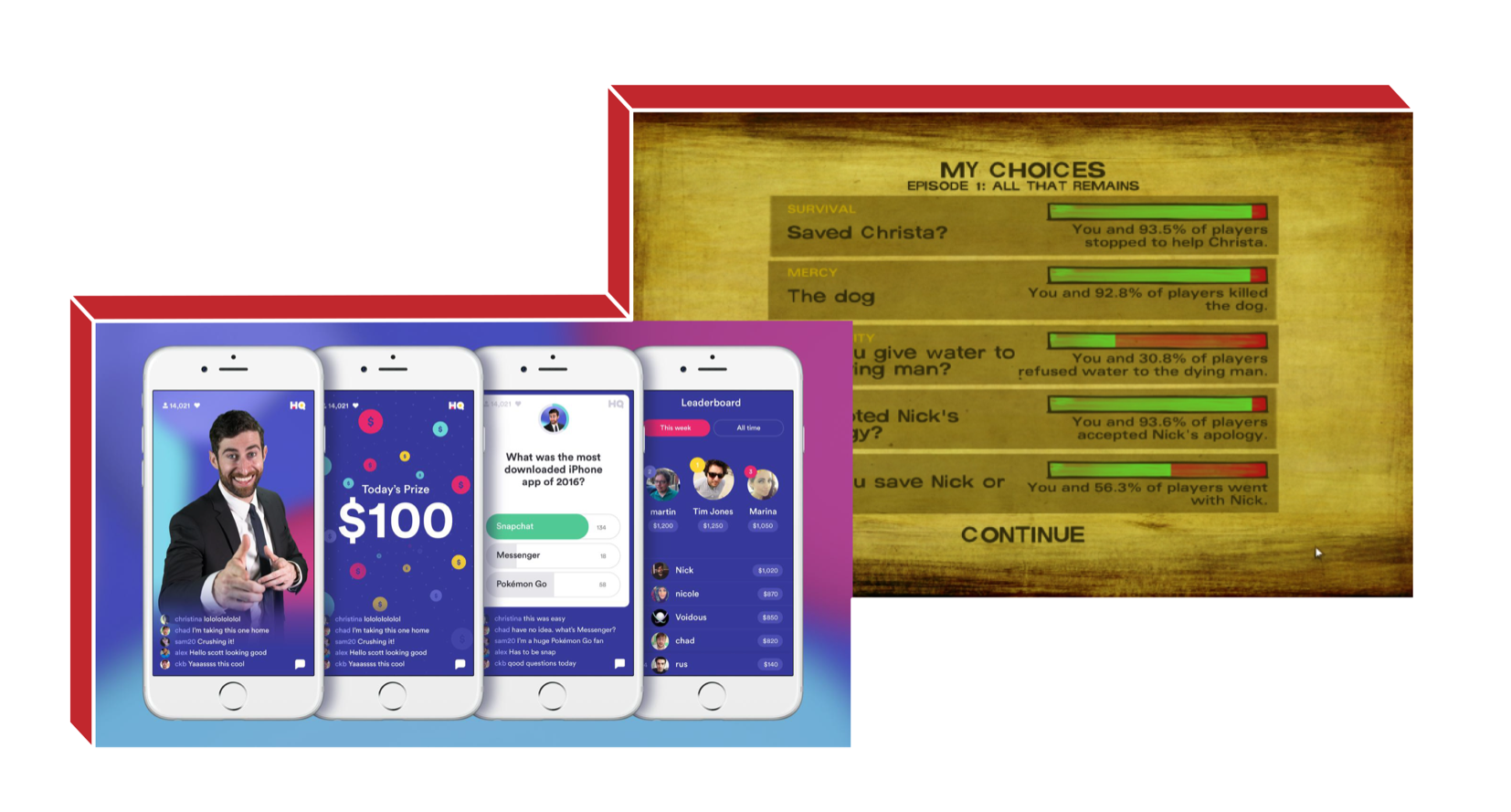
Here is an example of one of the most viral trivia/game apps - HQ Trivia App. It became a daily entertainment and resource to earn money by playing trivia during 2017.
This platform not only offered unique sets of quizzes and trivia challenges but it connected people globally and allowed live communication
during the show.
Telltale Games
I would also like to reference Interaction statistics after completing a media quiz/poll, just like this chapter in this game by Telltale Games.
This particular company created very popular series of choice based games that were released by seasons and gained a huge crowd of players where they shared user statistics at the end of each chapter.
The Social Dilemma
Information resources used in the prototype:
- Study Breaks
- Cinema Blend
- The Conversation
- Independent UK
- The Social Dilemma website
- News Bytes
- Eco Warrior Princess
Final Prototype

Search Engine to find/create specific Nolls
Here I designed a search tool to help users find specific media on specific dates and room types. This way users can access or create Noll Parties for any date is convenient for them, as well as have the option of privacy if they would like to have a private or public party
Custom Nolls
Through each movie in the Nolls page, a user can also create custom parties by filtering few options. I wanted to allow each user to create their Noll parties by picking a combination of specific title, date, and room type as a mandatory search. Adding a friend is an additional optional field to finalize the party set up. This type of search navigation was inspired by how kayak.com/flights designed to give users a feel of control and customization over booking flights, hotels, and so on. This way the use of 3-4 stage filtering helps users create events with minimal amount of steps.
User Guide On How Noll Parties Work
Video above on the left shows a 3 part animated guide for first time users to understand how to navigate through a Noll Party. Users firstly get positive message for their successful connection. Next, the 60 second warning is introduced. Each Noll is timed for 30 seconds to let users have a challenge to be on time. At the end of the Noll Party, streamers who would get 100% correct answers earn a free guest pass to invite people who don’t have Netflix accounts. This way non Netflix users could test the interface and be influenced to join to be part of this fun social collaboration while watching movies. And lastly, depending on how many users have access to the Netflix App in the physical room can access the Party by scanning the generated QR Code.
Mobile View of How
The Phone Connection Works
Video above on the right shows the quicker path for joining the waiting room for users who have already played Nolls before.
This interaction shows how the user connects through QR Code.
Mobile View of Nolls
During The Party
Video above on the left illustrates how the 60 second timer works in the last 3 seconds and follows the same flow of questions as the desktop view.
In this video, chat feature also is shown to let users interact with one another during the party.
Nolls During the Party
Video above on the right visualizes the overall interaction and animation on how the Nolls work. Each Noll only appears for 30 seconds and is highlighted below when it is done. The lines on the bottom of the screen corresponds to the number of Nolls this particular movie contains.
End Credits And User Data
Video above on the left shows how other users interacted with the Noll Party to bring awareness of user data and have a sense of collaborative engagement.
Second, page of the end credits also lets users know how many users were able to complete how many correct answers to give further statistics and encourage users to beat the scores for the next party.
Mobile View of a
Winning User
Video above on the right shows the message at the end of the party informing the user’s victory.
2 options of sharing or saving guest passes are offered below the celebratory message.
Interactive Prototype
Custom UI Elements Designed For This Project